Pictory AI Review: Is It Free, What It Costs and What Its Video Agent Made From Two Sentences
also called Pictory AI, Pictory IA, Pictory.ai · 10 min read
- Free trial
- Video
- Web · API
- Free $0 14 days · 300 credits · Pictory branding
- Starter $29/mo 2,000 credits/month · 1 user
Checked on
Open Pictory
My verdict
In IT since 2002: systems, engineering, web development and SEO. I have been doing business with AI since February 2023, when ChatGPT could first be bought in Spain.
Pictory goes from a couple of sentences to an edited video. I described a 30-second video about Mont-Saint-Michel, and its agent picked up the language, tone and audience on its own, wrote five clean scenes, chose real footage of the place and added a voiceover. It's fast and very easy. The catches: the video came out shorter than I asked for, the script needs a read before you render, the trial keeps Pictory's branding, and credits go faster than you'd think.
What is Pictory
- Type
- Video
- Platforms
- Web · API
- Free plan
- Free trial
- Also called
- Pictory AI, Pictory IA, Pictory.ai
- Updated on
- Nov 23, 2026
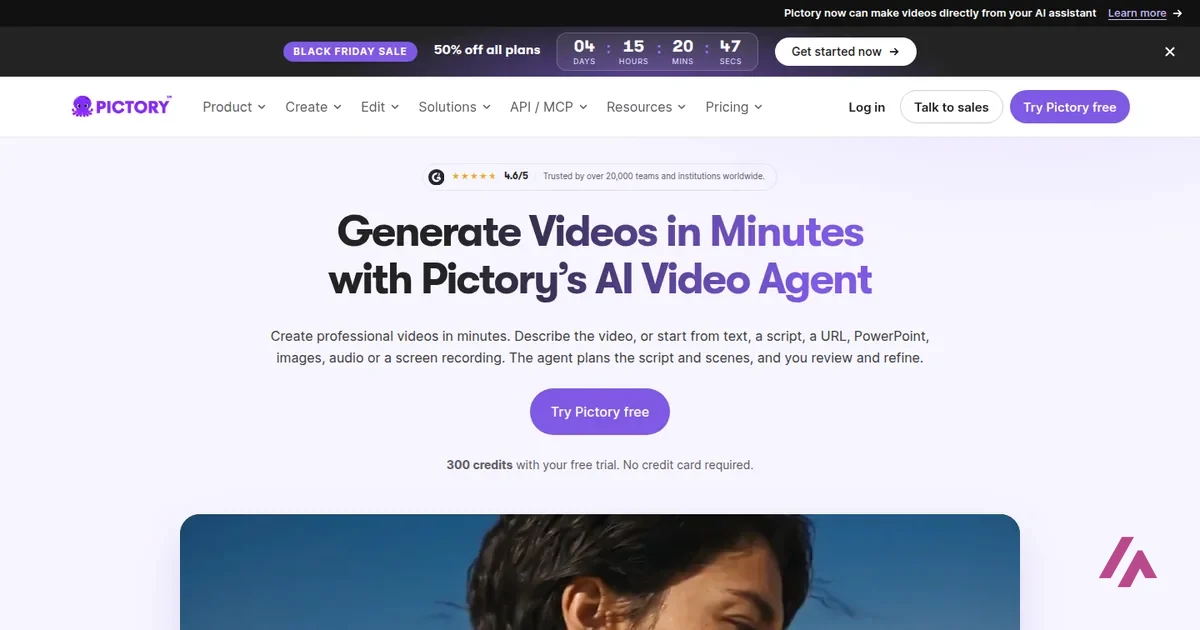
Pictory is an AI video generator: you describe an idea, or paste a script, an article or a link, and its agent writes the text, splits it into scenes, picks footage from a stock library, adds a voiceover and titles, and edits it all together. Is Pictory free? Not really: there's a 14-day free trial with 300 credits and no card, but no permanent free plan. How much does it cost after that? Starter is $29 a month, Professional $59 and Teams $199, all in dollars. When I checked, a Black Friday sale had everything at half price.
Here's what happened when I gave it two sentences about Mont-Saint-Michel and asked for a short vertical video.
What is Pictory?
Pictory is an online tool that turns text into video. You can start from an idea, a script, a blog post or a web page, a PowerPoint deck, images, an audio recording or a screen recording. Since Pictory 3, the front door is an agent called Pickford: you tell it what you want, it asks a few questions, and then it hands you a script to review before it builds the video.
The footage comes from the Getty Images and Storyblocks libraries, and the voices come from ElevenLabs. On top of that there are stock avatars, subtitles you can export as .srt, .vtt or plain text, brand kits and a scene-by-scene editor. For generated images and clips, the pricing page lists several models, including Nano Banana and Veo.
My test: a video idea in two sentences
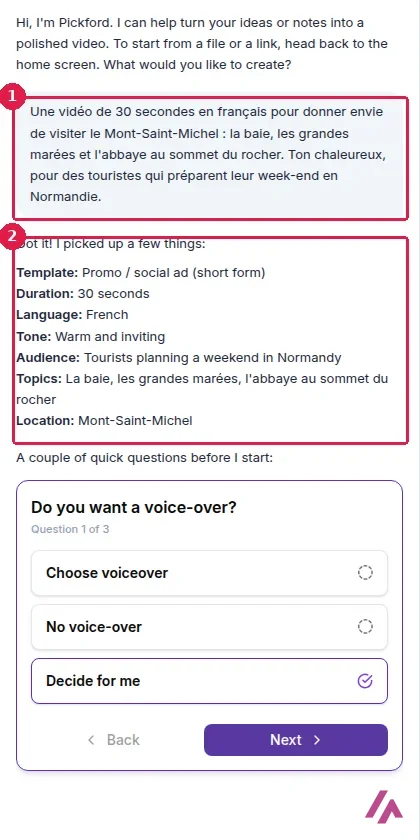
I signed in with a Google account, no card. The app opens on one big box that asks you to describe your video. I wanted to see how it handled a language other than English, so I wrote my request in French: a 30-second video, in French, to make people want to visit Mont-Saint-Michel, with the bay, the big tides and the abbey on top of the rock, in a warm tone for tourists planning a weekend in Normandy.
The first good surprise: Pickford got all of it on the first try. It summed up my request in English without losing anything: a short social ad format, 30 seconds, French as the language, a warm tone, tourists as the audience, and the topics and the place exactly as I'd written them.
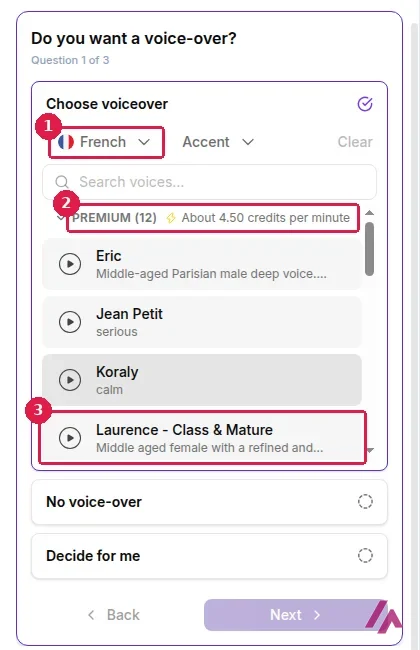
Then came three questions. First the voice: with the French filter on, Pictory offered 12 premium voices (listed at about 4.50 credits per minute) and 5 standard ones, each with a short description. I picked one called Laurence, described as a mature, classy female voice. Then the visuals: stock footage or AI-generated (I went with stock). And finally the format: horizontal, vertical or square (I went vertical).
Write your request the way you'd brief a person (Tip)
You don't need a special prompt. Say what the video is about, how long it should be, the tone and who it's for, and write it in the language you want the video in: the agent repeats all of that back in its summary, so you can catch a misunderstanding before spending credits.
The script: good writing, but shorter than I asked
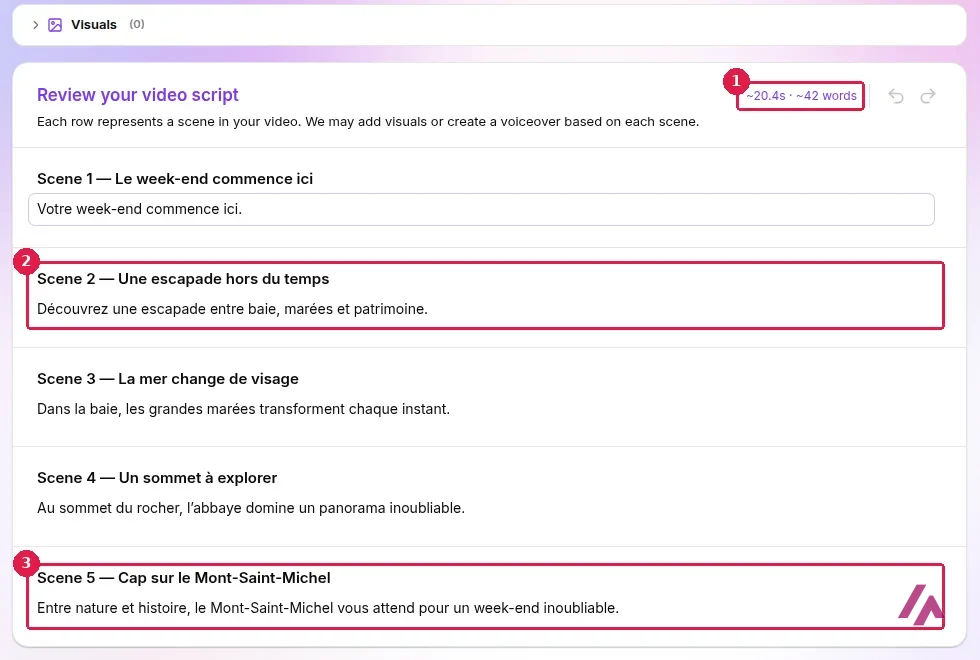
The project named itself after the trip, and the script came in five scenes, each with a title: a hook, three scenes about the bay, the tides and the abbey, and a call to action at the end. The writing was clean and natural, and each scene has its own text box you can edit.
Two things to fix, though. The counter showed about 20 seconds for 42 words, when I'd asked for 30. And the last two scenes both ended on the same word, "unforgettable": an unforgettable view, then an unforgettable weekend. Nothing serious, but it's the kind of thing you want to catch before you publish.
The preview, then the real video
I clicked Generate video preview and got it in five scenes, at 1080p and with the voiceover. Pictory went for an ad-style layout: a colored band on top with the scene title in big letters, and the stock clip underneath. That preview cost me roughly 40 of the trial's 300 credits, so you get a handful of tries, and that's it.
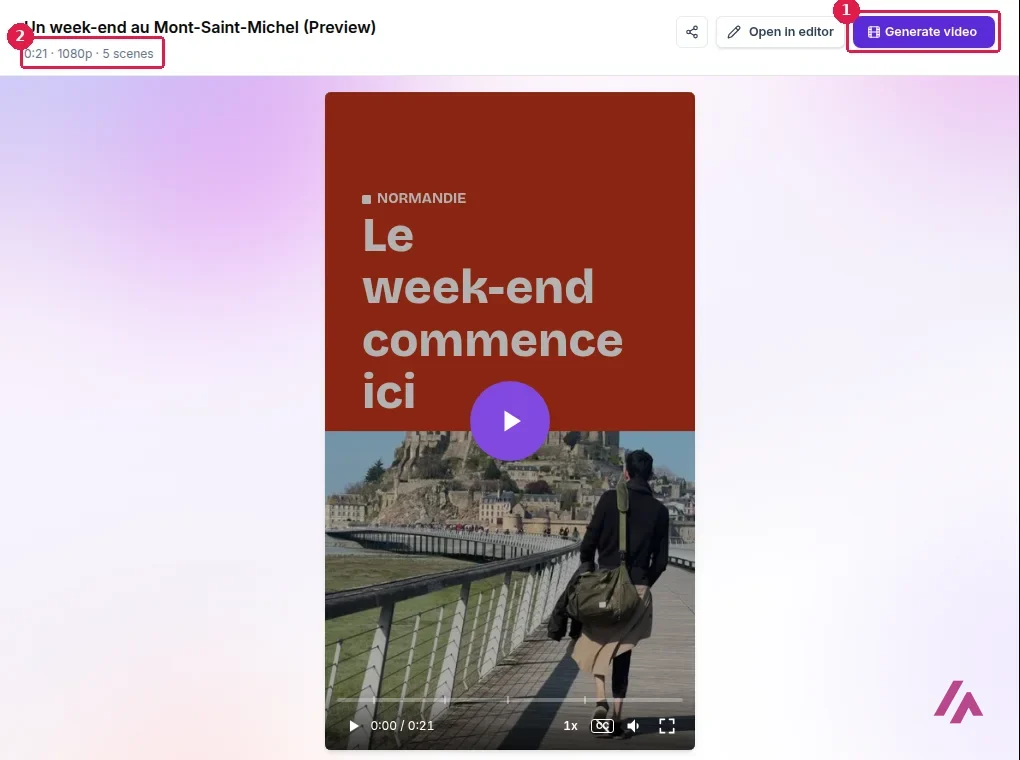
One more click on Generate video and Pictory builds the final file; you don't have to sit and wait, because it says it will email you when it's ready. A few minutes later, the video page had a share link, an embed code and a download button.
I downloaded the file and went through its frames. It's a vertical video under 30 seconds, and the footage fits the subject: Mont-Saint-Michel from the footbridge with someone walking toward it, the abbey filmed from a drone above the sea, two people walking across the bay. Only the second scene is mostly grass in the foreground, with the Mont barely visible at the top. The end card added a line that wasn't in my script.
The trial keeps Pictory's branding (Heads-up)
On my downloaded video, a small "Created with Pictory" label sits in a corner of every scene, and a Pictory logo animation closes the video. According to the plan table, the trial covers 3 videos of up to 5 minutes, listed at 720p (mine came out at 1080p anyway), with Pictory branding. Check the paid plan you pick before you publish anything client-facing.
How to make a video with Pictory, step by step
- Go to pictory.ai and click Try Pictory free.
- Sign up with Google or an email address; no card is needed.
- In the Describe your video idea box, describe your video: subject, length, tone, audience and language.
- Click Generate video and check the agent's summary, especially the Language line.
- Answer its questions: the voice (filter by language), the visuals (stock or AI) and the format (16:9, 9:16 or 1:1).
- Click Create script, read every scene and fix the text right there (length, repeated words, claims).
- Run Generate video preview and watch it; every preview uses credits.
- If you like it, click Generate video, then Download to get the MP4, or share the link.
How much does Pictory cost?
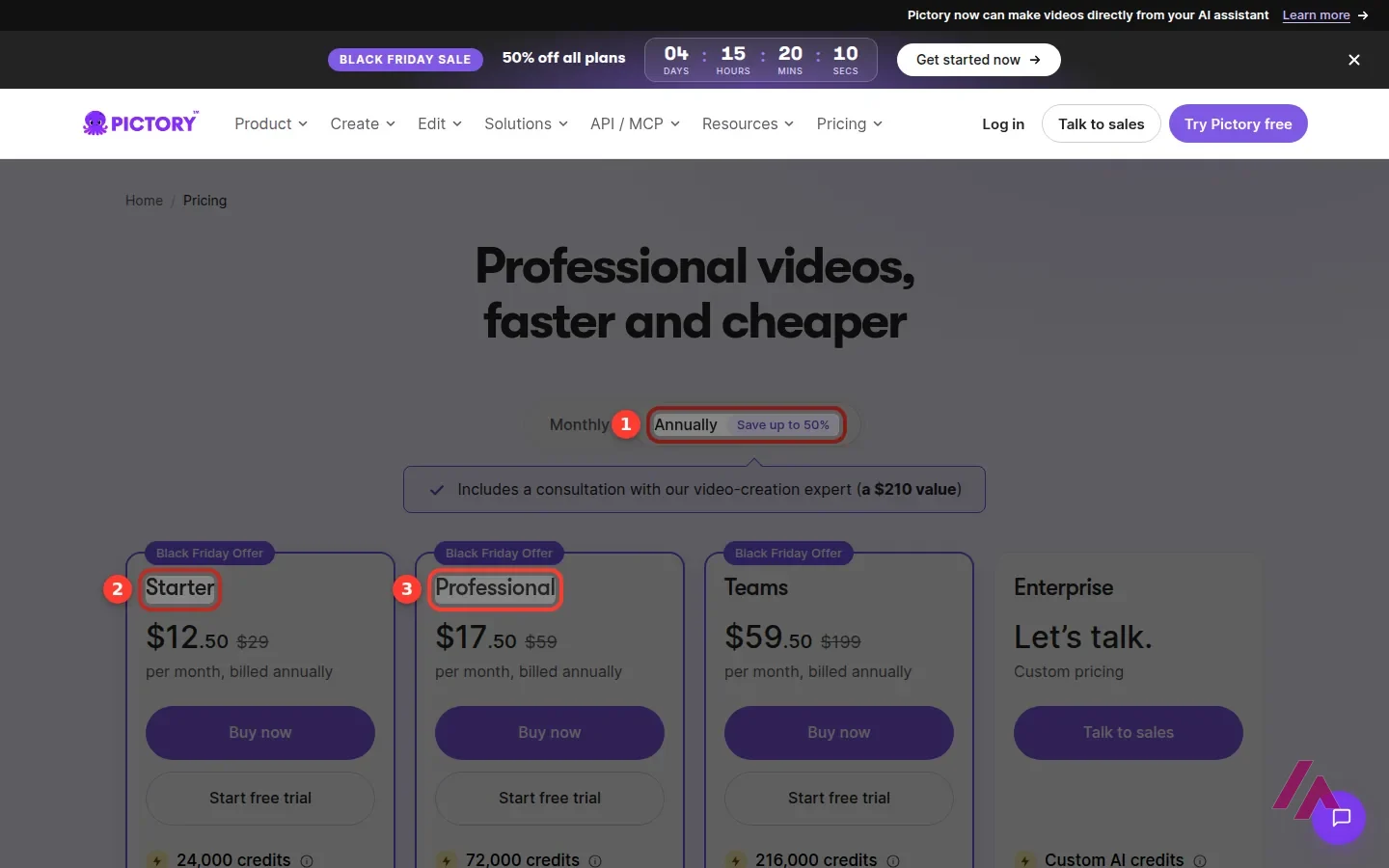
Pictory lists its prices in US dollars, and its pricing page doesn't mention tax. Annual billing is cheaper, and annual plans get the whole year's credits up front. Every plan includes the agent, the editor, the stock library and the ElevenLabs voices; what changes is mainly the number of credits, minutes, users and brand kits. These are the prices I saw on November 23, 2026, with a Black Friday sale advertising 50% off all plans.
| Plan | Price per month | What you get |
|---|---|---|
| Free trial | $0, for 14 days | 300 credits, no card; 3 videos of up to 5 minutes, with Pictory branding |
| Starter | $29 ($12.50 billed annually with the Black Friday offer) | 2,000 credits a month, up to 30 minutes of video; 1 user, 1 brand kit |
| Professional | $59 ($17.50 billed annually with the offer) | 6,000 credits a month, up to 90 minutes; clone your own voice and avatar; 5 brand kits |
| Teams | $199 ($59.50 billed annually with the offer) | 18,000 credits a month, up to 300 minutes; 3 or more users; 10 brand kits |
| Enterprise | Custom pricing | Custom credits and a sales conversation |
Credits run out faster than you'd think (Important)
My 20-second preview with a premium voice used about 40 credits. Before you subscribe, do your testing on the 300 trial credits and look at the counter after each preview: that number tells you which plan you actually need.
Pictory, InVideo, VEED or Descript?
Pictory is made to turn text into an illustrated video: an idea, a post, a script. Depending on where you start, though, I'd also look at these three.
InVideo also starts from an idea and builds a complete video with stock footage and a voiceover.

VEED is more of an online editor: if you already have your footage, it cuts it and adds subtitles automatically.
And if you record yourself talking, Descript lets you edit the video by editing its transcript, like a document.

My take: Pictory is one of the shortest paths from a sentence to a video you can post 🎬. The agent understands what you ask for, there are lots of voices, and the footage mostly fits the subject. But you have to read the script before rendering, the credits go quickly, and the trial keeps the branding. For a few videos a month, the 14-day trial is enough to make up your mind; if you'll be making them every week, Starter is the place to begin, ideally during a sale.
Tested and written by Miguel Ángel, with help from an LLM to verify the facts.
Who is it for? For people who need short videos from text often (marketers, trainers, bloggers, small businesses) and don't want to learn editing. If what you mostly want is to edit your own footage or cut a recording by its transcript, an editor fits better.
What I like and what I don’t
What I like
- The agent understood a plain-language request: it worked out the language, tone, audience and place before asking three simple questions.
- The script came split into scenes you can edit line by line, with plenty of voices to choose from.
- The stock footage matched the subject: the real place, from the footbridge, the bay and a drone.
What I don’t
- I asked for 30 seconds and the script came in at about 20, with the same adjective at the end of two scenes in a row.
- On the trial, a Pictory label stays on every scene and its logo closes the video.
- One preview used about 40 of the 300 trial credits.
Have you used Pictory? Tell me how it went
What worked for you and what didn’t. Your experience helps the next person who lands here unsure more than any review page. I read every one before publishing.
Write my review
Pictory pricing
Prices checked on the official site on
-
Free trial
Free
14 days with 300 credits and no card; up to 3 videos of 5 minutes max, listed at 720p, with Pictory branding
- Cheapest paid plan
Starter
$29/mo
2,000 credits a month (up to 30 minutes of video), 1 user, 1 brand kit; $12.50 a month billed annually with the November 2026 Black Friday offer
-
Professional
$59/mo
6,000 credits a month (up to 90 minutes), voice and avatar cloning, 5 brand kits; $17.50 a month billed annually with the Black Friday offer
-
Teams
$199/mo
18,000 credits a month (up to 300 minutes), 3+ users, 10 brand kits; $59.50 a month billed annually with the Black Friday offer
There's no permanent free plan: the trial lasts 14 days with 300 credits and no card. After that, Starter is $29 a month, Professional $59 and Teams $199, listed in dollars, with no mention of tax. When I checked, a Black Friday offer cut those prices in half, and annual billing brought Starter down to $12.50 a month.
Alternatives to Pictory
-

InVideo
from $20/mo
When to pick it: If you also want to start from an idea and get a finished video with stock footage and a voiceover.
See details → -
VEED
Free with limits · from $12/mo
When to pick it: If you already have your footage and mostly want an online editor with automatic subtitles.
See details → -

Descript
Free with limits · from $24/mo
When to pick it: If you record yourself and want to edit the video by editing its transcript.
See details → -

Synthesia
Free with limits
How I tested it
On November 18, 2026, I signed in to the Pictory app with a Google account on the free trial, no card, described a 30-second video about Mont-Saint-Michel, picked a voice, stock footage and the vertical format, rendered it and downloaded the file. On November 23 I re-read the home page and the pricing page in US English.
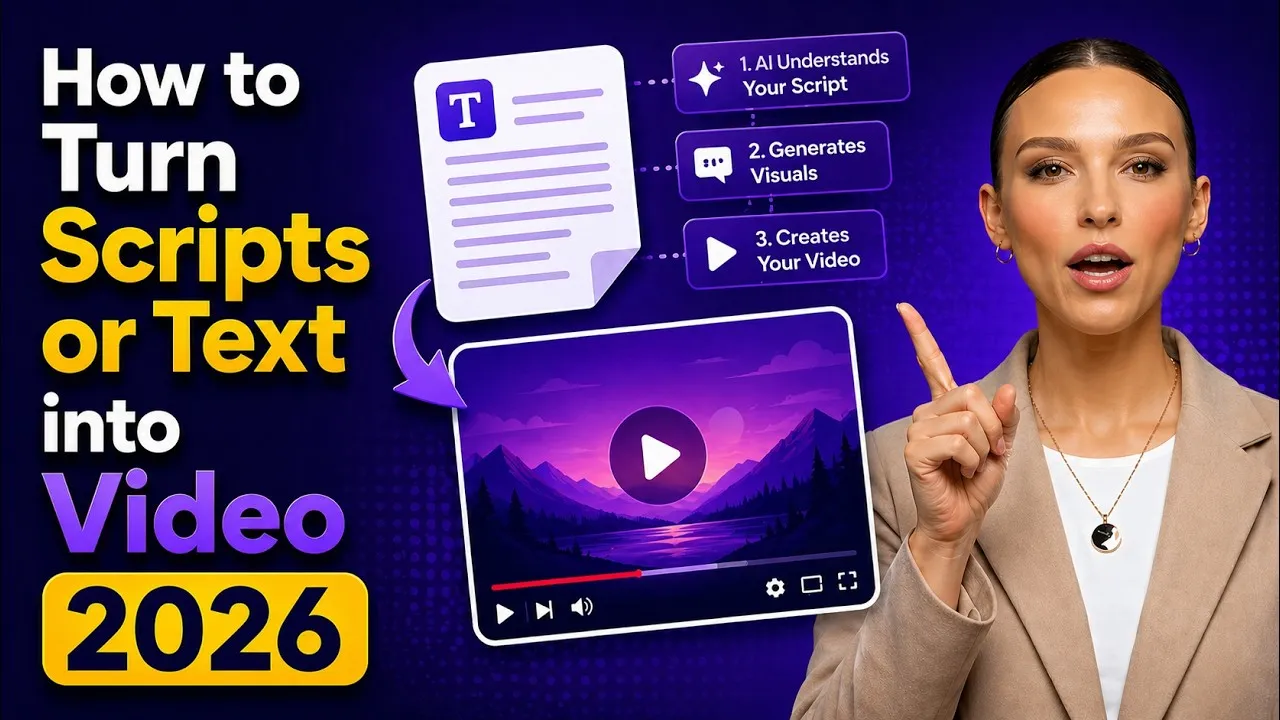
Pictory's own one-minute walkthrough of its text-to-video flow: a script or some text goes in, and visuals, captions and a voiceover come out.
A nine-minute beginner's tour in English, chapter by chapter: generating the script, visual and voice settings, editing in the storyboard, audio and layout, setting up a brand kit and exporting.

Written by Miguel Ángel, with the help of an LLM to fact-check. In IT since 2002 (systems, engineering, web development and SEO), doing business with AI since February 2023, when ChatGPT could first be bought in Spain. I build, write and maintain this site myself.

Got a question? Ask me
About Pictory, its plans or whether it fits what you need. I’m Miguel Ángel, and I’ll answer you myself, right here.