
Luzia AI Review: Is It Free, What Luzia+ Costs, and How It Did in My Test
Factoría Elcano, S.L. · 9 min read
- Free with limits
- Conversation
- Web · iOS · Android
- Free $0 Free, with ads
- Luzia+ $4.99/mo No ads, double limits
Checked on · before tax
Open LuzIA
My verdict
In IT since 2002: systems, engineering, web development and SEO. I have been doing business with AI since February 2023, when ChatGPT could first be bought in Spain.
Luzia is a free everyday AI assistant from Madrid, built for people who don't want to learn anything new: you type or talk, it answers. Is Luzia free? Yes, and in my test it answered two questions and made an image without asking for a cent. Luzia+, which according to its terms removes ads and doubles the limits, is $1.99 a week, $4.99 a month or $39.99 a year in the US App Store. It did well with a short, practical answer and a friendly rewrite. If you already use ChatGPT or Gemini, it won't change your life; if you've never used an AI assistant, it's one of the gentlest ways in.
What is LuzIA
- Company
- Factoría Elcano, S.L.
- Type
- Conversation
- Platforms
- Web · iOS · Android
- Free plan
- Free with limits
- Updated on
- Nov 14, 2026
Luzia is a free AI assistant that you use on the web, on iPhone or on Android, and that answers questions, rewrites messages, makes images and reads PDFs. It started in Madrid in 2023 as a contact you added on WhatsApp; today its own website talks about its web chat and its apps. Is Luzia free? Yes: in my test it answered questions and made an image without asking me for a card. How much is Luzia+? In the US App Store, $1.99 a week, $4.99 a month or $39.99 a year; according to its terms, it removes ads and doubles the limits.
Luzia in 30 seconds (Important)
- What it is: a general AI assistant for everyday questions, writing, images and PDFs, made by Factoría Elcano, a company in Madrid.
- Where: web chat, iPhone app and Android app. Luzia says it has more than 85 million users worldwide.
- Free: yes. The app can be used without registering, according to its terms; to unlock everything you sign in with Google or Apple.
- Luzia+: $1.99 a week, $4.99 a month or $39.99 a year in the US App Store, with a 3-day free trial. Its terms promise no ads, double the limits, a premium image model, an image editing tool and an advanced reasoning model.
What Luzia is today
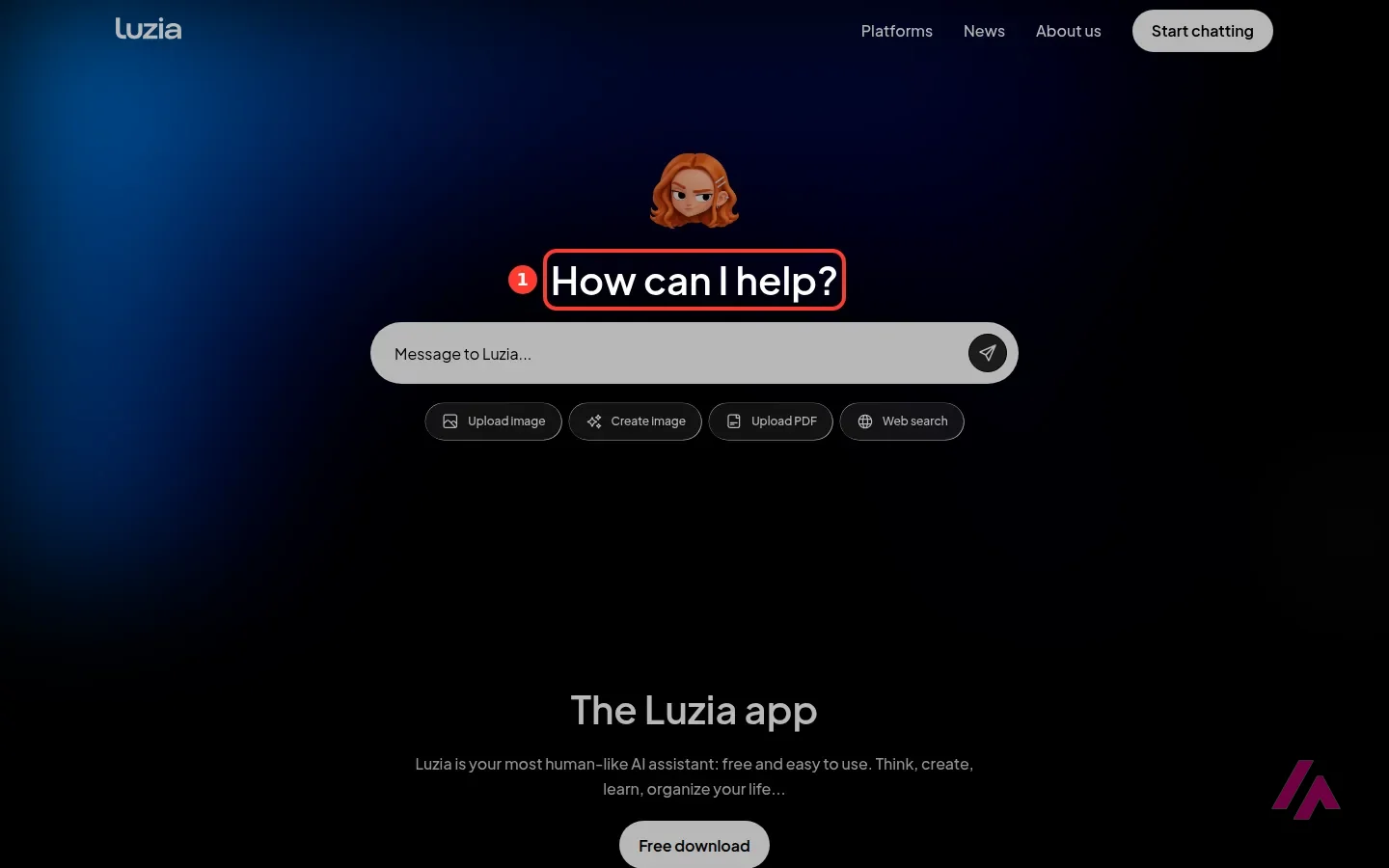
Luzia's idea has always been the same: an assistant for people who don't want to learn how an AI works. Its home page says it in one line, "Luzia is your most human-like AI assistant: free and easy to use," and then gets out of the way: a question ("How can I help?"), a message box and four shortcuts (upload an image, create an image, upload a PDF, search the web).
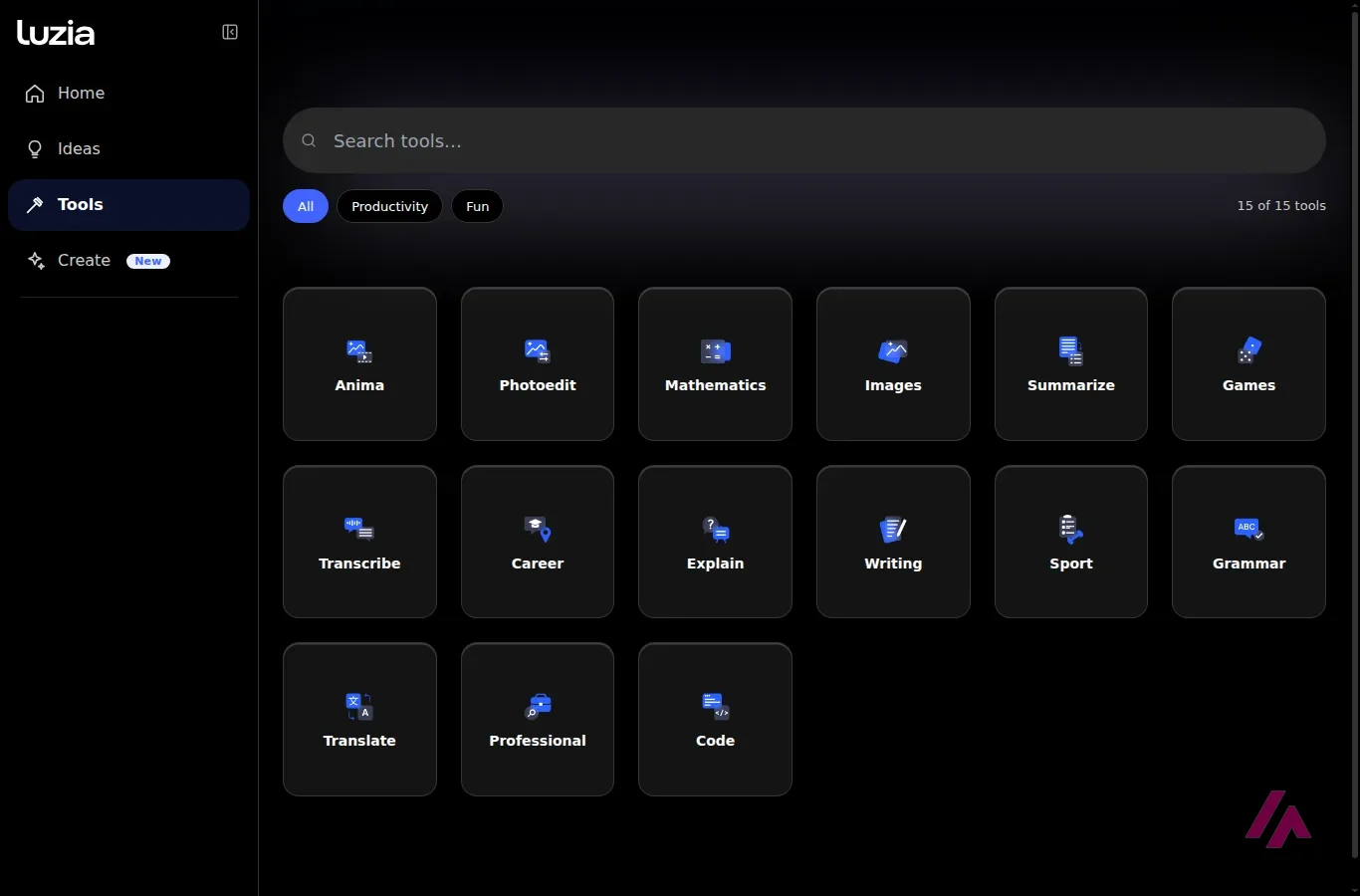
It started as a phone number you saved in your contacts and chatted with on WhatsApp, and its terms still cover using it through WhatsApp and Telegram. That's still its personality, but its English website now lists three ways in: the web chat, the iPhone app and the Android app. Inside the chat there's more than meets the eye: a Tools menu with 15 small utilities, "Ideas" with ready-made image templates, and a new "Create" section for building little apps.

What happened when I used it
I opened the web chat in English. It greets you with "Good morning" and "What do you want to explore today?", with buttons to create an image, summarize, write and open the tools, plus a few characters to talk to (Professor, Bestie, Chef, Trainer). Before answering, the chat asked me to sign in with Google or Apple. I used my Google account, and that was it: no phone number, no birthday, no card.
My first question was a practical one: "What do I need to renew a US passport by mail and how much does it cost? Keep it short." And it did keep it short. It named the form (DS-82), the conditions for using it, what to put in the envelope and the fees, and it sent me to the State Department's instructions for the mailing address. That last line is the right instinct, and I'd follow it: always check fees on the official site before you mail a check.
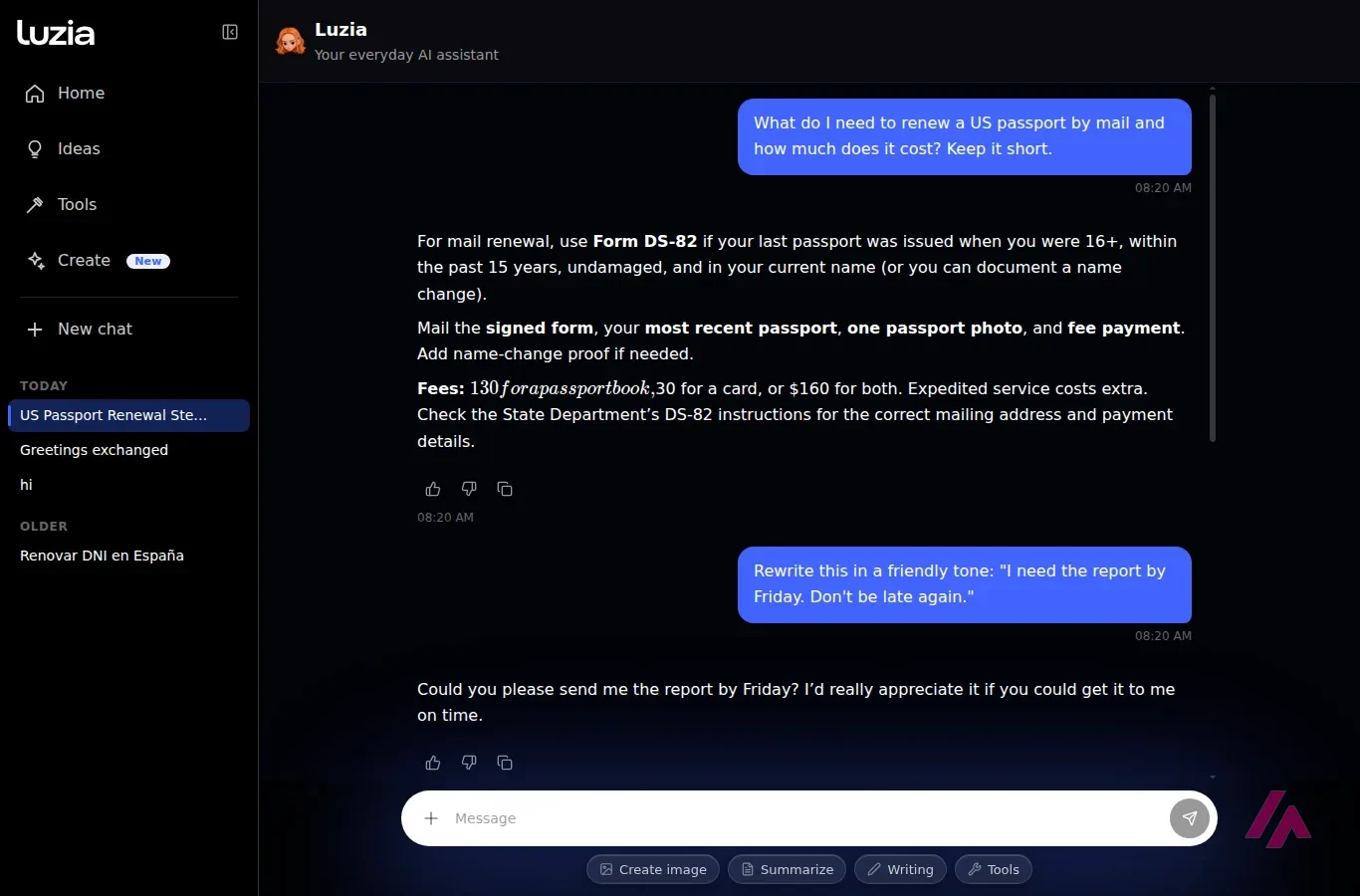
There was one glitch, and it's not a small one if you're reading quickly: in the fees line, the first two dollar amounts came out mangled, in italics and with the words glued together, as if the chat had read the dollar signs as the start of a math formula. Only the third amount displayed properly. The words were there; the display wasn't.
The second request went better. I asked it to rewrite "I need the report by Friday. Don't be late again." in a friendly tone, and it gave me "Could you please send me the report by Friday? I'd really appreciate it if you could get it to me on time." That's exactly what you'd want to send to a colleague. Underneath it offered buttons to make it more casual, warmer or shorter, which is a nice touch for people who don't know how to ask for a second try.
Ask it to keep it short (Tip)
Adding "keep it short" or "in three lines" to your question worked very well for me. For anything with numbers (fees, dates, doses), treat the answer as a starting point and check it at the source.
Making images in the chat
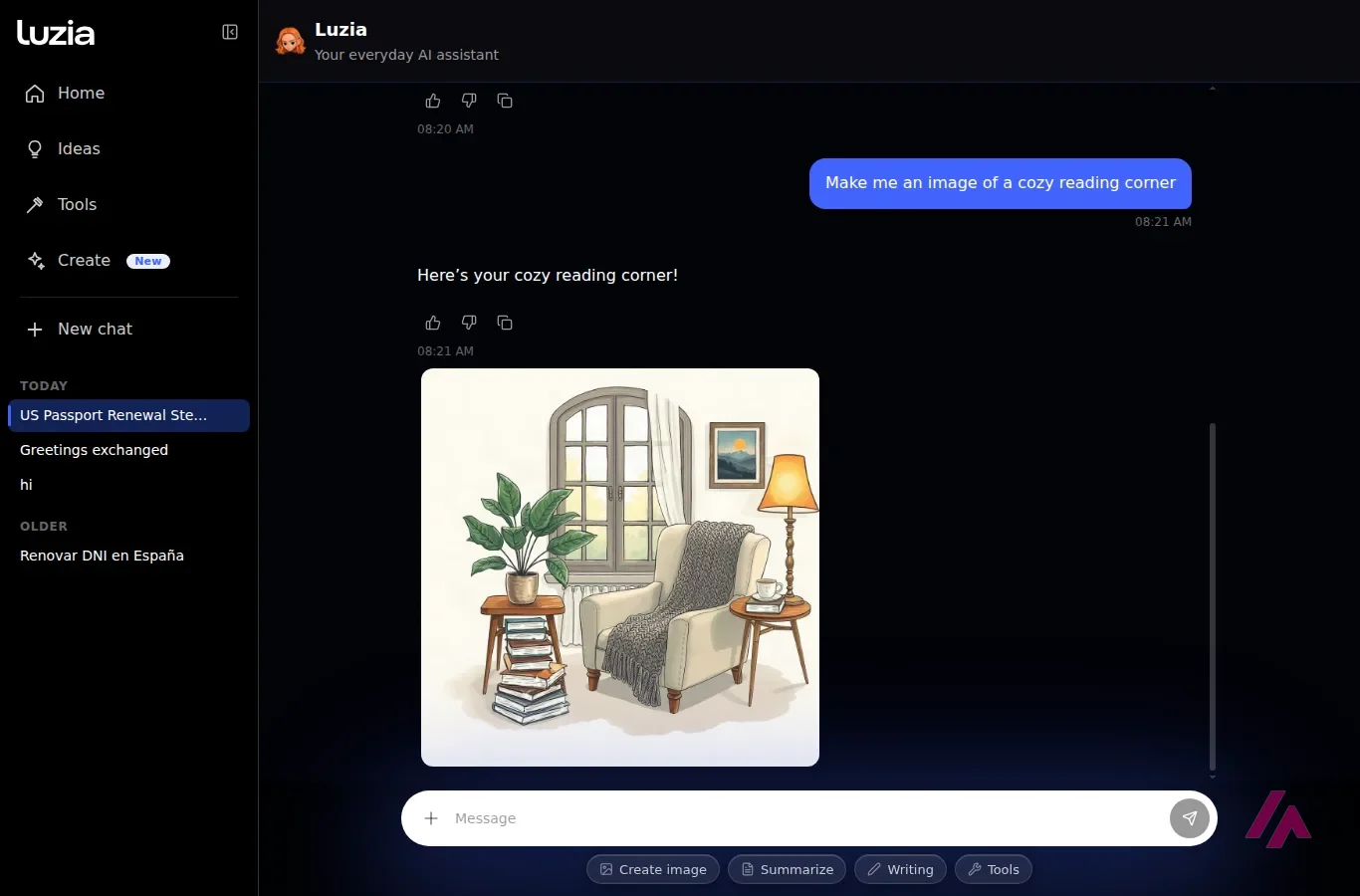
My third request was "Make me an image of a cozy reading corner." It took about a minute and came back with a soft watercolor-style illustration: an armchair with a knitted blanket, a lamp, a plant, a pile of books and a cup by the window. No watermark, no warning about limits and no pitch for Luzia+, even though image generation is exactly where the paid plan promises more.
The Tools menu is worth a look too. It lists 15 utilities, from Summarize, Translate, Grammar and Transcribe to Mathematics, Code, Career and a few just-for-fun ones like Games and Anima. Luzia describes them as "free productivity and creative AI utilities" with "no signup needed".
Luzia+ price in the US, and what it adds
Luzia's home page shows no prices. The US App Store lists three Luzia+ subscriptions: $1.99 a week, $4.99 a month or $39.99 a year (its terms give $39.92 a year as the reference price). Google Play shows in-app purchases from $1.99 to $39.99. Luzia's terms add a 3-day free trial for new subscribers, automatic renewal, and that you cancel through the app store you subscribed in.
| What you get | Free | Luzia+ |
|---|---|---|
| Price in the US App Store | $0 | $1.99 a week, $4.99 a month or $39.99 a year |
| Ads | Can show non-personalized ads | No ads |
| Chat and tool limits (per its terms) | Standard | Double the limits |
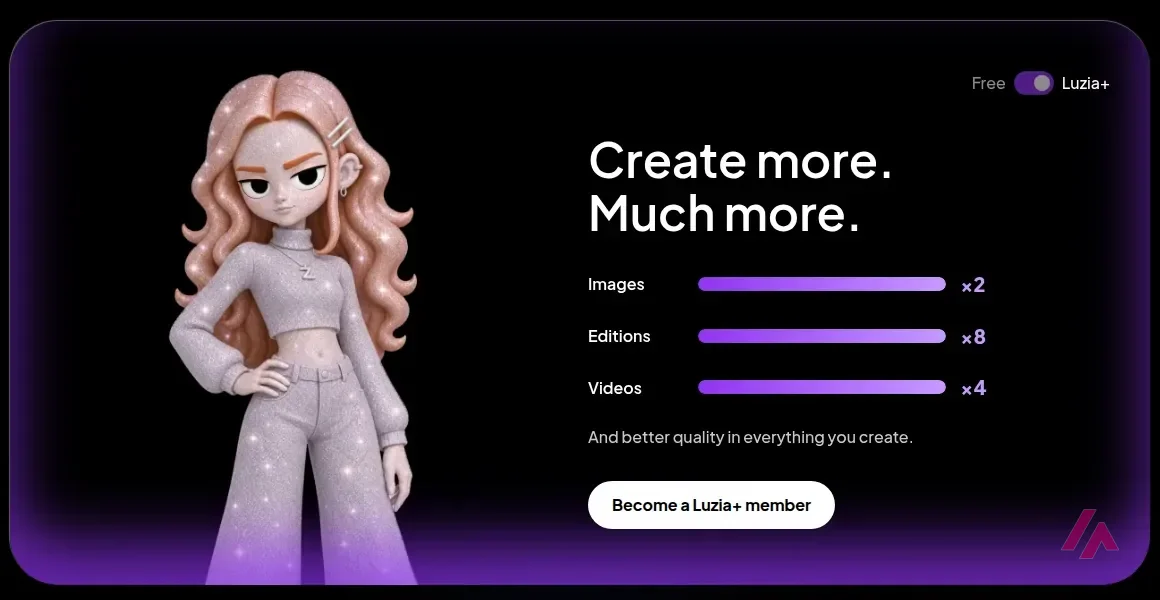
| Images, edits and videos (as Luzia's home page shows it) | Base amount | 2× images, 8× edits, 4× videos |
| Extras (per its terms) | Not included | Premium image model, image editing tool, advanced reasoning model |
Is it worth it? At $4.99 a month it costs about a quarter of the roughly $20 a month the big assistants charge for their main paid plans. If you use Luzia every day and the free limits start to bother you, it's an easy yes. If you hardly hit any limit (in my three requests I never hit one), the free version is enough.
Weekly is the expensive way to pay (Heads-up)
$1.99 a week adds up to more than $100 over a year, while the annual plan is $39.99. If you decide you want Luzia+, the weekly option only makes sense for a short trial beyond the free three days.
Privacy and age
Luzia's privacy policy says in its summary that "Luzia is not trained with your conversations" and that it only collects your phone number or email and your name. It lists WhatsApp, Telegram, OpenAI and Stability AI among its vendors, and it has a section for California residents stating that it doesn't sell members' information. The policy was last updated in July 2024.
On age, the terms only spell out a minimum for Latin America (13) and Europe (14). The US App Store lists the app as 13+, and Google Play rates it for "Everyone". If you're setting it up for a teenager, I'd go with 13 as the floor.
Luzia vs. ChatGPT and Gemini
Luzia isn't trying to beat ChatGPT or Gemini at their own game. Those two go much further: more capable models, deeper research, longer files and connections to your other apps. Luzia's strengths are elsewhere: it's free, it's simple, it gives short answers when you ask for them, and it doesn't make you think about models or settings. For someone who's going to ask how to word a message, what to cook tonight or what a document says, that's plenty. For someone who works with AI every day, it'll feel limited quickly.
Who is it for? For people who want a free, no-fuss AI assistant on their phone, especially if they're new to AI or prefer short, plain answers. It first launched in Spain and Latin America, and it shows in its tone. Less so if you need long documents, coding help or the most capable model of the moment.
What I like and what I don’t
What I like
- It's free to use, with no card, and with my Google account it asked for nothing else: no phone number, no birthday.
- When I asked it to keep it short, it did, and the answer was still useful, which is what most everyday questions need.
- Image generation is built into the chat: I asked for a picture and got it, no watermark, no limit warning.
- Luzia+ is cheap next to the roughly $20 a month of the big assistants' main plans: $4.99 a month in the US App Store, with a 3-day free trial according to its terms.
What I don’t
- The free version can show ads, according to its own terms; Luzia+ is what removes them.
- In my test, two dollar amounts came out garbled on screen, rendered as if they were a math formula.
- The minimum age in the terms is only spelled out for Latin America and Europe, not for the US; the App Store lists it as 13+.
- It doesn't say which AI model answers you; the App Store listing only mentions OpenAI, Llama and Kandinsky among its APIs.
Have you used LuzIA? Tell me how it went
What worked for you and what didn’t. Your experience helps the next person who lands here unsure more than any review page. I read every one before publishing.
Write my review
LuzIA pricing
Prices checked on the official site on · before tax
-
Free
Free
chat, writing help, image creation and PDF reading; the free version can show non-personalized ads
- Cheapest paid plan
Luzia+
$4.99/mo
per its terms, no ads, double the chat and tool limits, premium image model, image editing tool and advanced reasoning model; also $1.99 a week or $39.99 a year
Alternatives to LuzIA
-

ChatGPT
Free with limits · from $8/mo
When to pick it: If you want the most complete general assistant, with deeper research, longer files and a huge range of features.
See details → -

Gemini
Free with limits · from $4.99/mo
When to pick it: If you live in Google's apps (Gmail, Docs, Android) and want an assistant that works inside them.
See details → -

Claude
Free with limits · from $20/mo
When to pick it: If you write a lot or work with long texts and want careful, well-written answers.
See details →
How I tested it
On November 14, 2026, I opened Luzia's web chat in English from a US English browser and signed in with Google on the free version. I asked it how to renew a US passport by mail, to rewrite a blunt message in a friendly tone, and to make an image of a cozy reading corner. That same day I read its English home page, terms and conditions and privacy policy, and its listings in the US App Store and Google Play, which is where the US prices come from. I didn't pay for anything. I wrote this myself, Miguel Ángel, with help from an LLM to verify facts.
A short video in English about the Luzia app, if you'd like to see it move before you install it.


Written by Miguel Ángel, with the help of an LLM to fact-check. In IT since 2002 (systems, engineering, web development and SEO), doing business with AI since February 2023, when ChatGPT could first be bought in Spain. I build, write and maintain this site myself.

Got a question? Ask me
About LuzIA, its plans or whether it fits what you need. I’m Miguel Ángel, and I’ll answer you myself, right here.